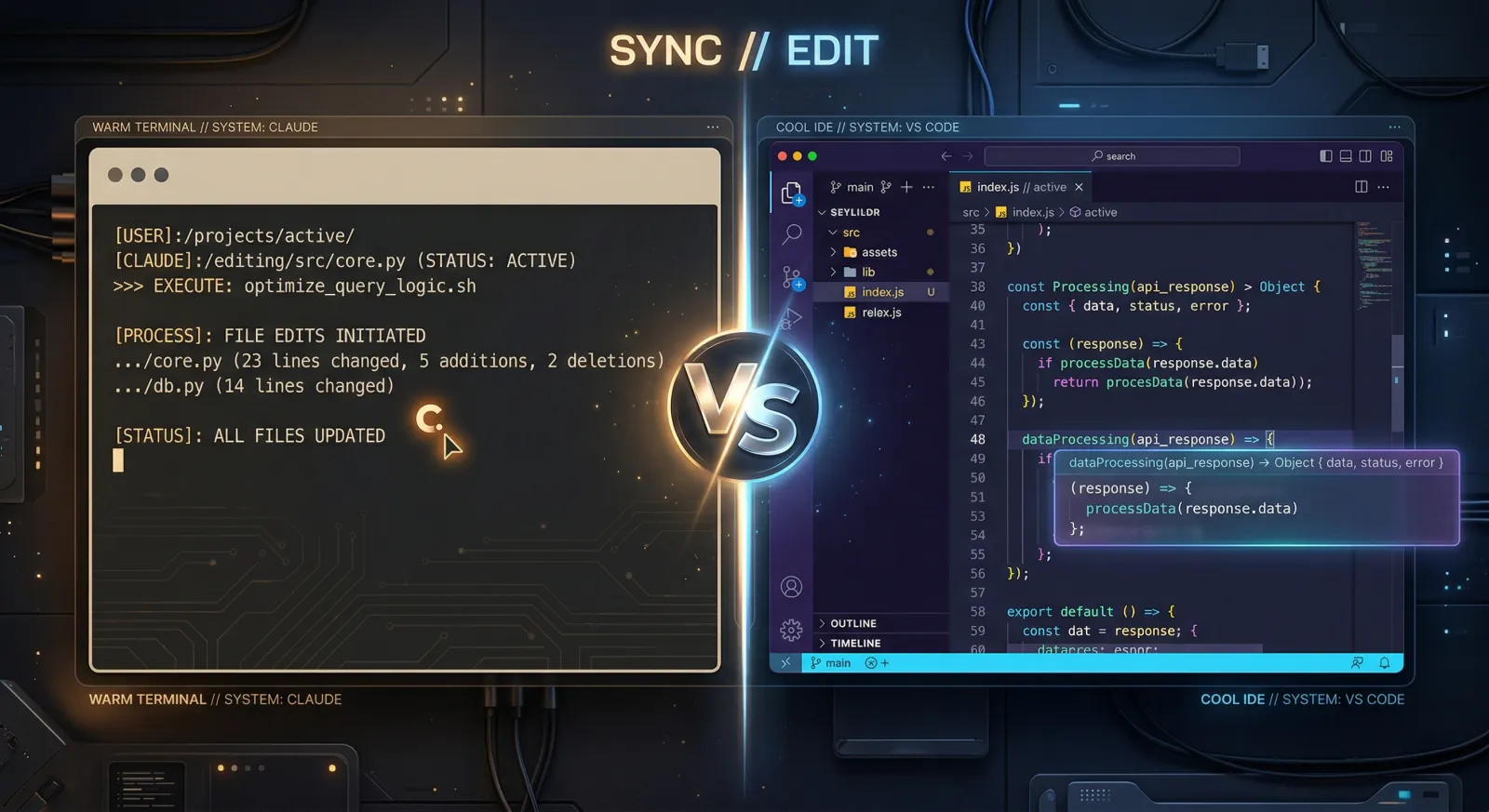
Claude Code vs GitHub Copilot: An Honest Comparison (2026)
Claude Code is the stronger tool for autonomous, multi-file coding work with deeper reasoning and a larger context window. GitHub Copilot is the better choice for fast inline completions, broad IDE support, and teams already embedded in the GitHub ecosystem. Many developers use both.
Claude Code and GitHub Copilot are both AI coding tools with agentic capabilities, but they come at the problem from different directions. Claude Code is a terminal-first agent that reads your entire codebase and executes multi-step tasks autonomously. GitHub Copilot is an IDE-integrated platform that combines inline completions, agent mode, and a background coding agent with multi-model support. This comparison covers where they differ and which fits your workflow.
At a Glance
| Feature | Claude Code | GitHub Copilot |
|---|---|---|
| Approach | Terminal agent + IDE extensions | IDE-integrated assistant + coding agent |
| Inline completions | ✗ | ✓ |
| Agentic multi-file editing | ✓ | ✓ |
| Context window | 200K tokens (up to 1M) | Model dependent (varies by IDE mode) |
| Code reasoning | Excellent (Opus 4.6) | Good (model dependent) |
| Model selection | Claude models only | Claude, GPT, Gemini, and others |
| IDE support | VS Code, JetBrains, desktop, web, terminal | VS Code, JetBrains, Visual Studio, Xcode, Eclipse, Neovim |
| Background/cloud agents | Agent teams (experimental) | Coding agent (GitHub Actions) |
| CI/CD integration | ✓ | ✓ |
| MCP support | ✓ | ✓ |
| Code review | Via GitHub Actions | Built-in AI review |
| Starting price | $20/month (Pro) | $0 (Free) / $10/month (Pro) |
Sources: Claude Code overview, GitHub Copilot features. Figures verified March 2026.
Claude Code Overview
Claude Code is Anthropic’s agentic coding tool. It runs in your terminal, understands your entire codebase, and executes multi-step tasks autonomously. It’s available as a CLI, as extensions for VS Code and JetBrains, as a desktop app, and in the browser.
Core capabilities:
- autonomous execution: reads code, plans changes, edits files, runs tests, and iterates on its own
- deep codebase understanding: analyzes entire repositories and makes coherent cross-file changes
- 200K token context (standard), extending to 1M tokens with Opus 4.6
- agent teams: orchestrates multiple Claude Code sessions on shared tasks (experimental)
- MCP extensibility: connects to GitHub, Slack, databases, and custom tooling through the Model Context Protocol
- CI/CD integration: runs in GitHub Actions and GitLab CI/CD for automated review and triage
Best For
- large-scale refactoring across many files
- autonomous task execution (bug fixes, test writing, migrations)
- complex architectural reasoning
- CI/CD automation and scripted workflows
- developers who prefer working in the terminal
- Largest effective context window (200K standard, up to 1M)
- Superior reasoning on complex, multi-step coding tasks (80.8% SWE-bench)
- Works across terminal, IDE, desktop, web, and mobile
- Agent teams for coordinating parallel work across a codebase
- Native CI/CD integration for automated workflows
- No inline tab completions (agent-based, not autocomplete)
- Claude models only (no multi-model routing)
- Higher entry price ($20/month vs free or $10/month)
- Steeper learning curve for developers used to IDE-first workflows
GitHub Copilot Overview
GitHub Copilot is GitHub’s AI coding assistant. It integrates directly into your editor with inline completions, chat, agent mode, and a background coding agent that runs in GitHub Actions. Copilot supports multiple AI models including Claude, GPT, and Gemini.
Core capabilities:
- inline completions: autocomplete-style suggestions as you type, with next-edit predictions in VS Code, Xcode, and Eclipse
- agent mode: autonomous multi-file editing within the IDE, with test execution and validation
- coding agent: assigns GitHub issues to an AI that works in GitHub Actions, produces PRs with self-review, and iterates on feedback
- multi-model support: switch between Anthropic, OpenAI, Google, and other providers depending on the task
- code review: AI-generated review suggestions on pull requests
- broad IDE support: VS Code, Visual Studio, JetBrains, Xcode, Eclipse, Neovim, and GitHub.com
Best For
- developers who want AI suggestions as they type
- teams embedded in the GitHub ecosystem (issues, PRs, Actions)
- workflows that benefit from switching between multiple AI models
- organizations that need IP indemnity (Business/Enterprise)
- getting started with AI coding at low or zero cost
- Fast inline completions with near-instant latency (100-300ms)
- Free tier available, Pro at $10/month is accessible
- Multi-model support (Claude, GPT, Gemini, and more)
- Coding agent runs in GitHub Actions and creates reviewed PRs
- Broadest IDE coverage of any AI coding tool
- Context handling is model and mode dependent, less predictable than Claude Code
- Premium request limits can throttle heavy users on lower tiers
- Coding agent limited to GitHub Actions environment (not local)
- Agent mode reasoning depth depends on which model you route to
Feature Comparison
Code Quality and Reasoning
Claude Code’s primary advantage is reasoning depth. Opus 4.6 scores 80.8% on SWE-bench Verified, and adaptive thinking lets the model decide when a problem needs deeper analysis. For multi-file refactoring, architectural changes, and bug fixes that span interconnected systems, Claude Code produces more coherent results because it understands the full context of what it’s modifying.
GitHub Copilot’s code quality depends on the model you choose. When routing to Claude Opus through Copilot’s model picker, the raw output quality is comparable. The difference is in orchestration: Claude Code manages its own context, plans multi-step changes, and iterates on failures automatically. Copilot’s agent mode provides similar autonomy within the IDE, but the context available to the model is managed by Copilot’s own windowing, which varies by IDE and mode.
For single-file edits and straightforward completions, both tools produce comparable output. The gap opens on tasks that require understanding relationships across many files.
Context Handling
Claude Code’s 200K token context window is available in full on every request. With Opus 4.6, it extends to 1M tokens at standard pricing. Claude Code also uses subagents that each get their own context window, and agent teams coordinate multiple full sessions across a shared project.
GitHub Copilot’s context depends on the IDE, the mode, and the model. Inline completions work with a narrow window optimized for speed. Agent mode in VS Code provides broader context, but the exact token budget isn’t published and varies by model. The coding agent, which runs in GitHub Actions, has access to the full repository but operates asynchronously rather than interactively.
For large codebases with tightly coupled modules, Claude Code’s predictable context window and agent teams put it ahead.
Inline Completions and Speed
Copilot wins this one easily. Its inline suggestions appear in 100-300ms as you type, covering single-line completions, multi-line blocks, and next-edit predictions. You stay in flow, accepting suggestions with Tab.
Claude Code does not offer inline completions. It operates as an agent: you describe a task, and it plans and executes. You can pair it with your existing editor’s autocomplete or use it alongside Copilot in the same IDE, but Claude Code itself is not an autocomplete tool.
If you want AI suggestions while you type, Copilot is what you want.
Background and Autonomous Agents
Both tools let you offload work to AI agents, but the execution model differs.
Claude Code runs agents locally by default. You describe a task, and it works in your terminal alongside your codebase. Agent teams coordinate multiple Claude Code instances with shared task lists and inter-agent messaging. You can also run sessions on the web or mobile, starting long tasks and checking back later. The downside is higher token usage when running multiple agents.
GitHub Copilot’s coding agent runs in GitHub Actions. You assign it a GitHub issue or describe a task in chat, and it works in a cloud environment: cloning the repo, making changes, running the self-review, and opening a PR. It supports custom agents, MCP servers, and hooks for validation. It’s asynchronous and tied to the GitHub Actions environment rather than your local machine.
Claude Code gives you more control and transparency. Copilot’s coding agent integrates more tightly with GitHub’s issue-to-PR workflow.
IDE and Platform Support
Copilot supports more editors out of the box: VS Code, Visual Studio, JetBrains IDEs, Xcode, Eclipse, Neovim, and GitHub.com. It also runs on GitHub Mobile.
Claude Code supports VS Code, JetBrains, terminal, desktop app, web, and mobile (via the Claude iOS app). The VS Code extension works in Cursor and other VS Code forks. Claude Code also integrates with Slack and Chrome for additional surfaces.
If you work in Visual Studio, Xcode, Eclipse, or Neovim, Copilot is the only option with native support. If you work primarily in the terminal, Claude Code is the obvious pick.
Extensibility
Both tools support MCP for connecting to external services. Claude Code adds custom subagents, hooks, skills, and CLAUDE.md memory files for persistent project instructions. Copilot adds AGENTS.md instruction files, custom agents, hooks, and Copilot Spaces for organizing project context. Both integrate into CI/CD pipelines.
Pricing Comparison
The pricing models are structured differently. Claude Code offers subscription plans and pay-per-token API access. Copilot uses subscription tiers with included premium requests.
Claude Code Plans
| Plan | Price | What you get |
|---|---|---|
| Pro | $20/month | Claude Code with Sonnet 4.6, standard usage limits |
| Max 5x | $100/month | Sonnet 4.6 + Opus 4.6 access, 5x Pro usage, 1M context |
| Max 20x | $200/month | 20x Pro usage, priority access |
Claude Code is also available through the API with pay-per-token pricing. Sonnet 4.6 costs $3/$15 per million tokens (input/output). Opus 4.6 costs $5/$25 per million tokens.
GitHub Copilot Plans
| Plan | Price | What you get |
|---|---|---|
| Free | $0 | 2,000 completions + 50 premium requests/month |
| Pro | $10/month | Unlimited completions, 300 premium requests, coding agent |
| Pro+ | $39/month | 1,500 premium requests, all models including Opus |
| Business | $19/user/month | 300 premium requests/user, IP indemnity, admin controls |
| Enterprise | $39/user/month | 1,000 premium requests/user, knowledge bases, custom models |
Additional premium requests beyond your plan limit cost $0.04 each.
Pricing as of March 2026. For the latest figures, see Claude pricing and GitHub Copilot pricing.
Copilot is more affordable at the entry level: free to start, $10/month for Pro. Claude Code’s Pro plan at $20/month gives you an autonomous agent with deeper reasoning. For heavy users, Claude Code’s Max plans ($100-200/month) provide significantly more capacity than Copilot Pro+ ($39/month), but at a higher price point. Teams on GitHub Enterprise already paying for Copilot get AI coding included in their existing workflow without additional tooling.
When to Choose Each
Choose Claude Code If:
- you need autonomous execution of complex, multi-step tasks across many files
- your work involves large codebases that require deep context understanding
- you prefer working in the terminal or want to pair it with your existing editor
- CI/CD automation and scripted workflows are core to your process
- code reasoning quality is your top priority
- you’re willing to pay more for deeper capabilities
Choose GitHub Copilot If:
- fast inline completions as you type are central to your workflow
- your team is embedded in the GitHub ecosystem (issues, PRs, Actions)
- you need multi-model flexibility (Claude, GPT, Gemini in one tool)
- broad IDE support matters (Visual Studio, Xcode, Eclipse, Neovim)
- you want a free or low-cost entry point to evaluate AI coding
- your organization requires IP indemnity
Verdict
Claude Code and GitHub Copilot do different things well. Claude Code is stronger for autonomous work — its reasoning depth, 200K-to-1M token context window, and agent teams make it the better pick for refactoring, migrations, bug fixing, and any task where you describe a goal and let the AI handle execution. It scores 80.8% on SWE-bench Verified and has built projects as complex as a working C compiler from agent teams alone.
GitHub Copilot is the better tool for continuous, in-editor assistance. Its inline completions are fast, accurate, and available in more editors than any competitor. The coding agent ties directly into GitHub’s issue-to-PR workflow, making it practical for teams that already live on GitHub. Multi-model support means you’re not locked into a single provider, and the free tier makes it accessible to everyone.
Plenty of developers just use both. A 2026 survey by Sonar found the average development team uses four different AI tools. Copilot handles your inline completions and lightweight suggestions. Claude Code handles the hard problems that need deep reasoning and full codebase awareness. They run at different layers and don’t conflict.
Related Comparisons
- Claude Code vs Cursor — how Claude Code compares to Cursor’s AI-native editor
- Claude Code vs Codex — how Claude Code stacks up against OpenAI’s coding agent
Frequently Asked Questions
Is Claude Code better than GitHub Copilot?
Claude Code outperforms GitHub Copilot on complex, multi-file tasks that require deep reasoning and large context windows. GitHub Copilot is better for fast inline completions and lightweight suggestions directly in your editor. Which one you pick depends on what kind of work you do most.
What is the difference between Claude Code and GitHub Copilot?
Claude Code is a terminal-first coding agent that autonomously plans, edits, and executes across your entire codebase. GitHub Copilot is an IDE-integrated platform that combines inline completions, agent mode, chat, and a background coding agent that runs in GitHub Actions. Claude Code runs Claude models exclusively, while Copilot offers multiple models including Claude, GPT, and Gemini.
Can I use Claude Code and GitHub Copilot together?
Yes, and many developers do. Copilot handles inline completions in your editor while Claude Code handles autonomous multi-file tasks from the terminal. They operate at different layers and don't conflict.
Is GitHub Copilot worth $10 a month?
For developers who write code in an IDE all day, Copilot Pro at $10/month is strong value. Unlimited inline completions and 300 premium requests cover most individual workflows. If you need autonomous task execution or deep codebase reasoning, Claude Code's Pro plan at $20/month adds capabilities Copilot doesn't match.
Which is better for large codebases, Claude Code or GitHub Copilot?
Claude Code. Its 200K token standard context window extends to 1M tokens with Opus 4.6, and agent teams let multiple instances coordinate across a shared project. Copilot's context is managed by the IDE and model combination, with no equivalent to agent teams for large-scale coordination.
Ready to ship faster?
Download spacecake and start building with Claude Code.
Get Started